Smart Focus Snooze
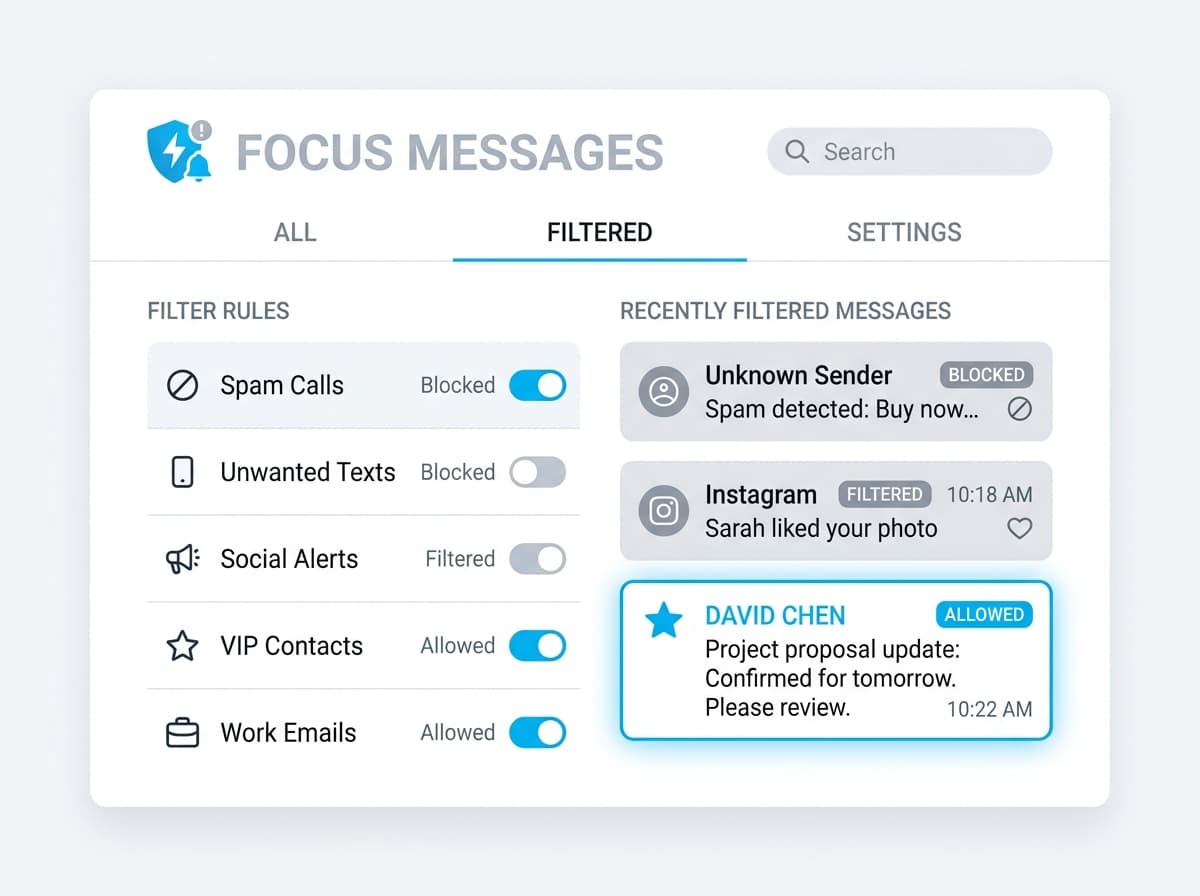
Silence the noise, not the emergency. Mute social pings and newsletters in the background while ensuring VIP client questions and system alarms route straight to you.
VIP Alert Routing & Spam Filtration
When Focus Guard is active, OnlyWorks sits as a shield above Slack, email, and WhatsApp. It analyzes incoming text using light-speed local AI to categorize alerts, muting unsolicited updates while highlighting the key inputs you need.
VIP Bypass Routing
Pre-configured contacts (investors, key clients, stakeholders) always trigger sound alarms.
Background Queue
General chat threads and newsletters bypass notifications and load straight to the dashboard.
System Downtime Safeguards
Critical server failures or site-down alerts bypass focus filters to prevent active incident delays.
Designed for Deep Work
Customize how your focus snooze behaves depending on your working hours.
Deep Work Blocks
Automatically silence everything except critical database alarms and client escalation emails during your code or design sprint times.
After Hours Safeguards
Keep personal channels open while muting all workspace Slack channels and email updates, unless a VIP contact specifically mentions an emergency.
Client Incident Mode
Mute all other projects and focus 100% on alerts from a single target client during deployment handovers or contract deliverables.
Frequently Asked Questions
Answers about filtering, privacy, and how VIP priority routing works.